

Filsa Filsa
Sign in Start free
Switching from another tool? Import takes one step

Your books, already done.

Filsa reads every transaction, categorises it, chases what you're owed and prepares your return. You approve. That's the whole job.

Start free trial See it work
14 days free · no card · bring your existing history
Ask Filsa
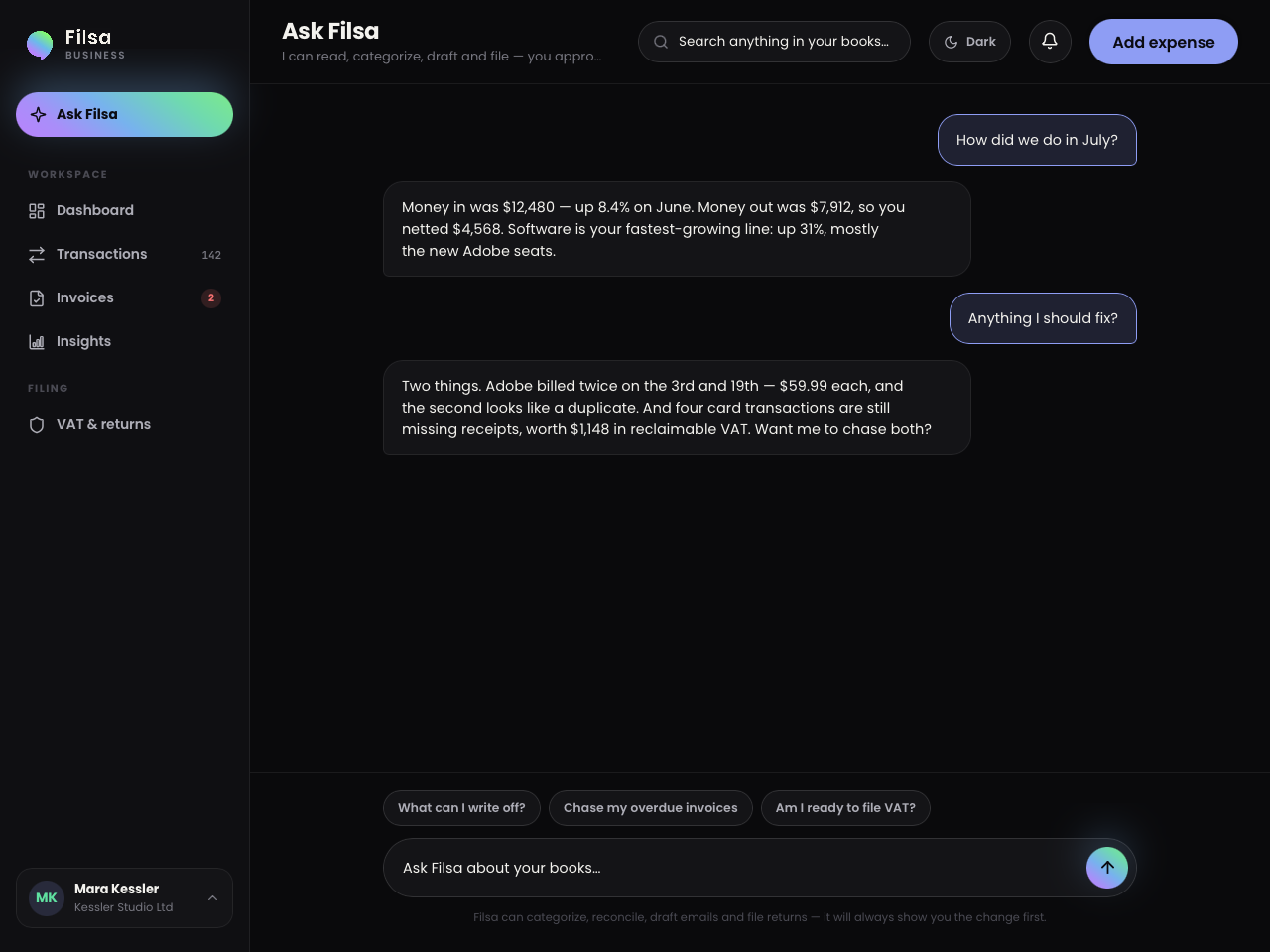
How much did we spend on software last quarter?
Software was $3,720 last quarter — up 31%, mostly three Adobe seats added in May. Two of those seats have had no sign-in for six weeks.
Categorise the rest Chase overdue
Trusted by small businesses — logos to be supplied
Logo 1
Logo 2
Logo 3
Logo 4
Logo 5
How it works

Three steps, then it runs itself

01 Connect your accounts Bank and card feeds link read-only in a few minutes. Import your history from your current tool in the same step — nothing gets re-entered by hand.
02 Filsa reads everything Every transaction gets categorised, matched to a receipt or invoice, and checked against what you spent last month. Anything ambiguous is set aside for you.
03 You approve A short queue of real decisions, not a spreadsheet of chores. Approve, and the ledger, the budgets and the return all update together.
The assistant

Ask in plain language. Approve in one tap.

Most tools give you a search box and a rules engine. Filsa gives you an assistant that has already read the ledger, and proposes the work instead of asking you to configure it.

  • It answers from your ledger, with the figures it used — not a generic explanation of accounting.
  • It proposes work as a reviewable batch. Nothing is written until you approve it.
  • It never files, sends or pays on its own. Every outbound action shows you the draft first.
Why is software up this month?
Three Adobe seats were added on 14 May, and Adobe also billed twice in July — $59.99 on the 3rd and the 19th. The second charge looks like a duplicate.
Sort it out.
I've drafted a refund request to Adobe, tagged the duplicate as disputed, and left both for your approval.
Proposed: recategorise 4 transactions, attach 2 receipts Approve
The product

Every number, one screen away

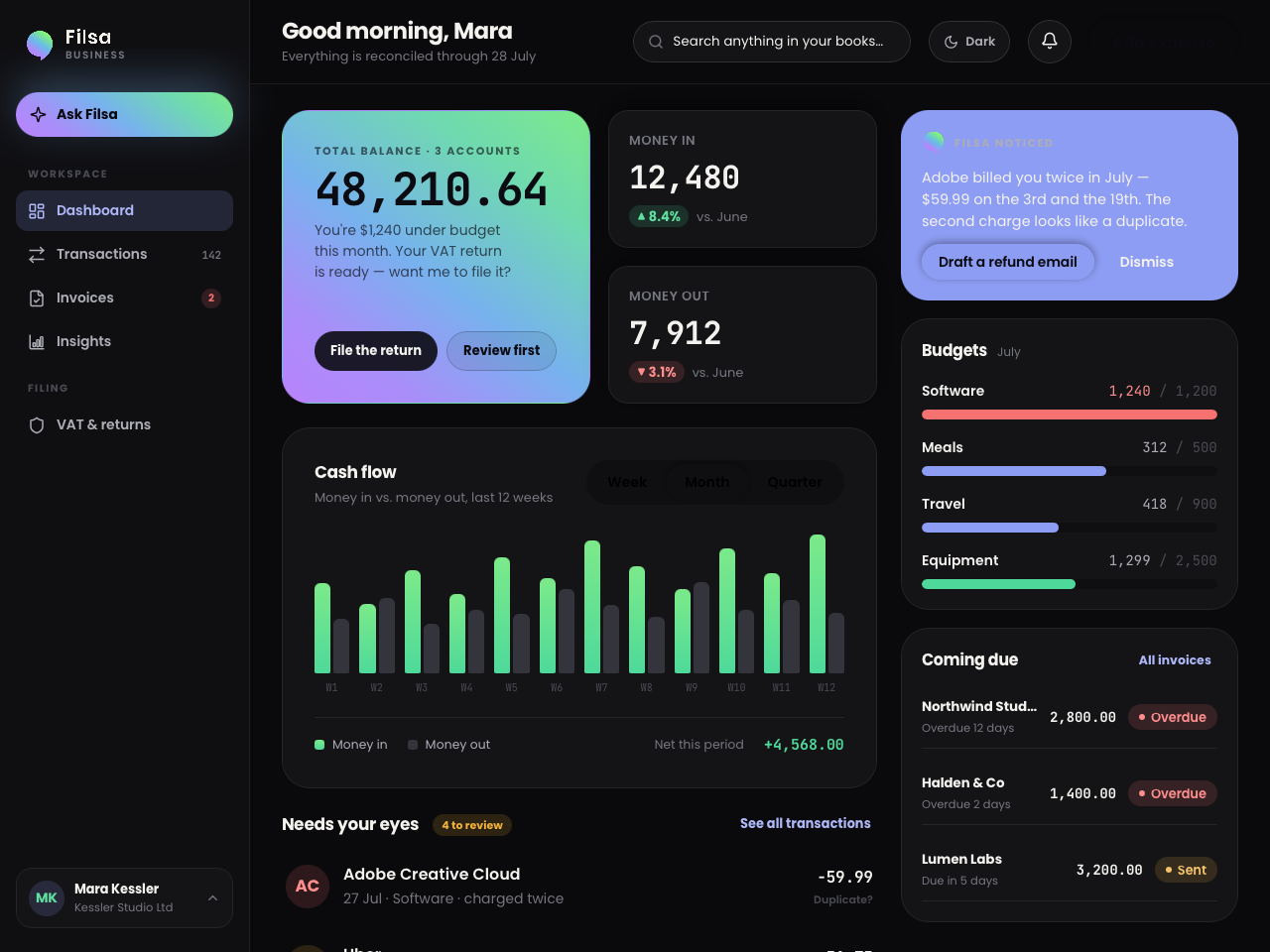
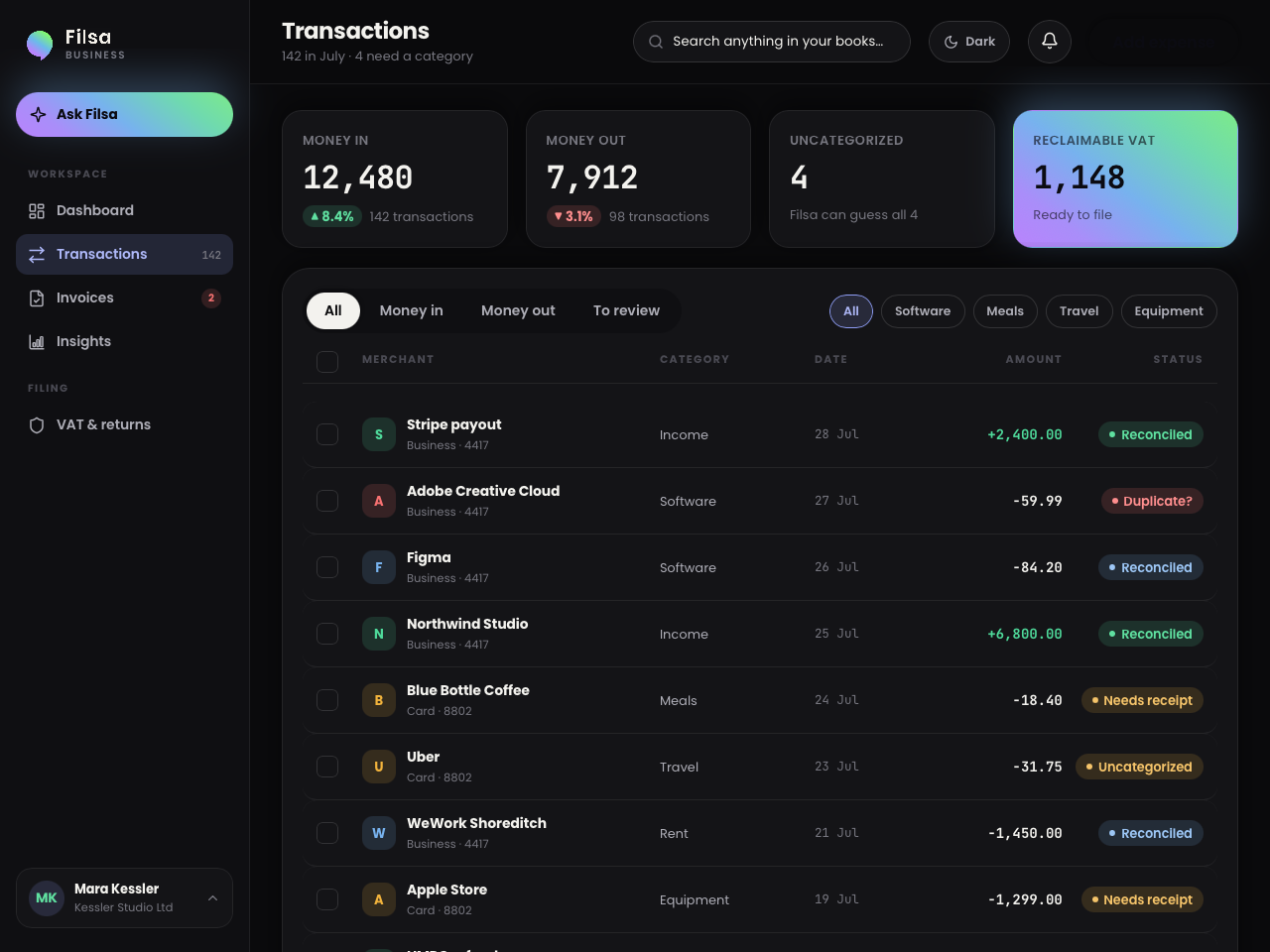
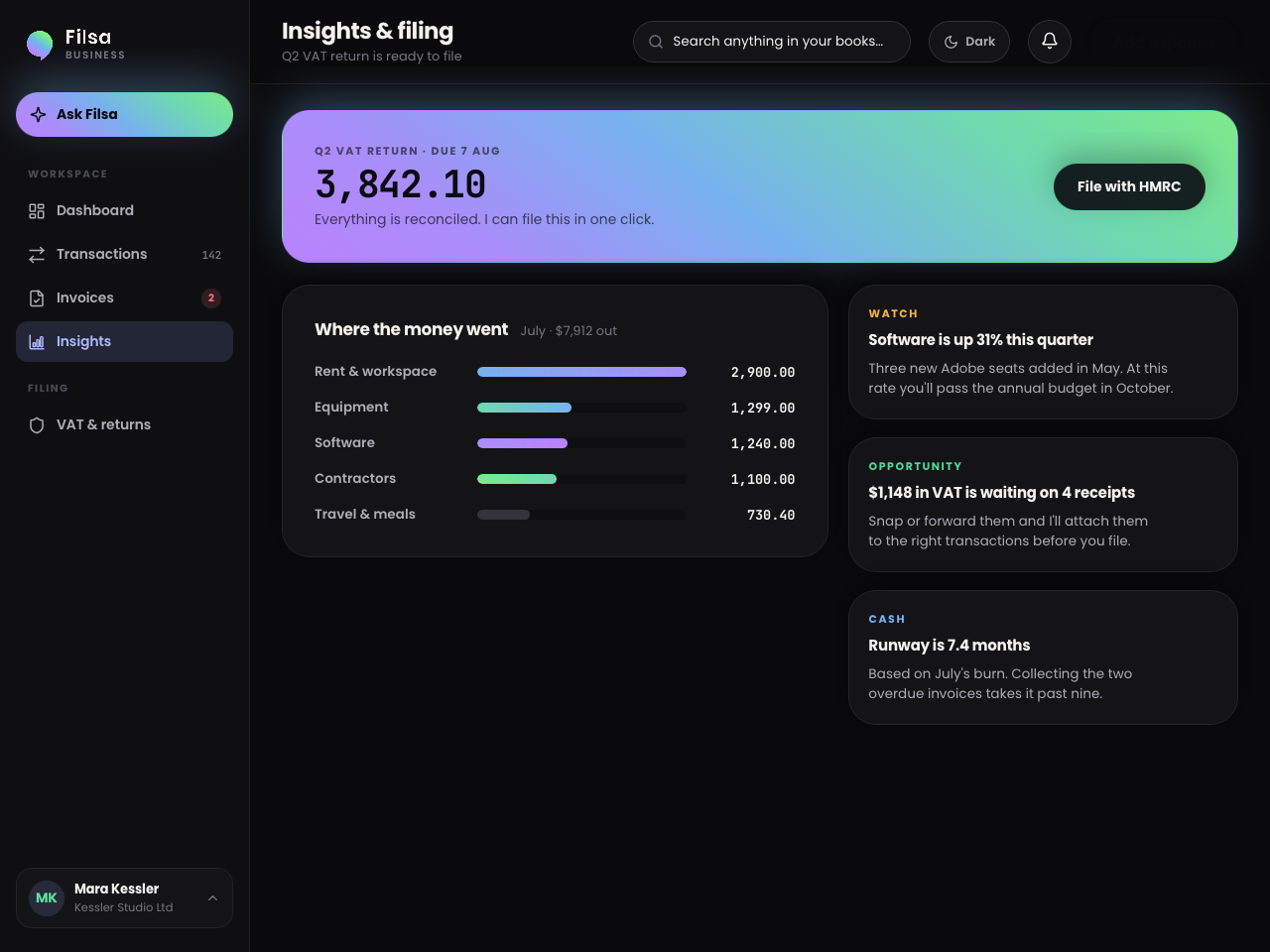
Filsa dashboard
One glance: balance across every account, what came in, what went out, and the four things that need a human decision today. Screens shown are the real product.
What you get

Built for the parts you dread

Categorisation that learns Corrections stick. Correct a merchant once and Filsa applies it to every past and future transaction from them.
Receipt matching Forward or snap a receipt and it attaches itself to the right transaction, with the tax amount read off the document.
Invoices that chase themselves Send, remind and escalate on a schedule you set. Filsa drafts each message; you approve or let it run.
Returns, prepared The return is computed continuously, not in a panic at the deadline. Filing is blocked until the evidence is complete.
Budgets that warn early Per-category limits with a heads-up when a line is trending past its budget, not a report after it has.
Your accountant, included Invite a bookkeeper with their own role. They can prepare everything; only you can file or send.
The maths

Against a bookkeeper, per year

Figures below are placeholders — replace with your own benchmark before launch.

A part-time bookkeeper $4,800
  • A monthly retainer whether or not the month was busy
  • You still collect and send the receipts
  • Answers arrive in days, at month end
Filsa, business plan $588
  • Reconciled continuously, not monthly
  • Receipts matched automatically
  • Answers in seconds, from your live ledger
  • Bookkeeper seat included if you still want one
9,400+ businesses on Filsa Placeholder
$2.1B reconciled to date Placeholder
6 hrs saved per month, on average Placeholder
Integrations

Connects to the accounts you already use

Bank and card feeds, payment processors, and the payroll and till systems that feed your ledger. Read-only by default — Filsa never moves your money.

Bank feeds
Card feeds
Stripe
PayPal
Payroll
Till systems
Security

Your ledger, not our training data

Read-only by default Filsa can see your transactions. It cannot move money, and there is no code path that does.
Your data is not training data Your ledger is never used to train a shared model. It is used to answer your questions and nothing else.
Encrypted in transit and at rest Bank credentials are held by the regulated aggregator, never by us.
Every change is attributable An audit trail records who changed what, including everything the assistant proposed and you approved.
Certification marks to be added once audits complete.
Customers

What switchers say

Quotes below are placeholders — swap in real, attributed ones before launch.

Placeholder quote — the specific thing a switcher says about how much less work the month-end became.
Customer name Role, company
Placeholder quote — the moment they realised the assistant had already found something they had missed.
Customer name Role, company
Placeholder quote — what the migration from their previous tool was actually like.
Customer name Role, company

Three plans. Placeholder pricing until launch.

Every plan includes the assistant, unlimited transactions and one tax jurisdiction. The differences are seats, connected accounts and filing support.

See pricing

Questions switchers ask

Can I bring my history from another tool? Yes. Import your transactions, categories, clients and open invoices in one step, and Filsa reconciles them against your bank feed so the opening balances agree.
What happens to the rules I set up in my old tool? You don't rebuild them. Filsa reads the categorisations you already made and infers the pattern; where it isn't confident, it asks once and then remembers.
Does it file my return, or just prepare it? It prepares continuously and files on your explicit approval. Filing is blocked while any transaction in the period is unreconciled or missing required evidence.
Can my accountant still work in it? Yes — invite them with a bookkeeper role. They can categorise, reconcile and draft returns and invoices; submitting and sending stay with you.
What if the assistant gets something wrong? It proposes rather than acts, so a mistake is a rejected suggestion, not a wrong entry in your books. Corrections train it for next time.
Which countries are supported? Tax handling is set per jurisdiction. Tell us where you file and we will confirm support before you migrate.

Bring your books. Filsa takes it from there.

Import from your current tool, connect an account, and see your first reconciliation in minutes.